AI video · Guide + kit

A GTA 6 style video with AI, first time round.

I made a 79-second ad with my grandma turned into a video game character, without filming a single shot of her. Here's the full method, the prompts I used and the editing kit. Every mistake that cost me credits has been turned into a step so you don't repeat it.

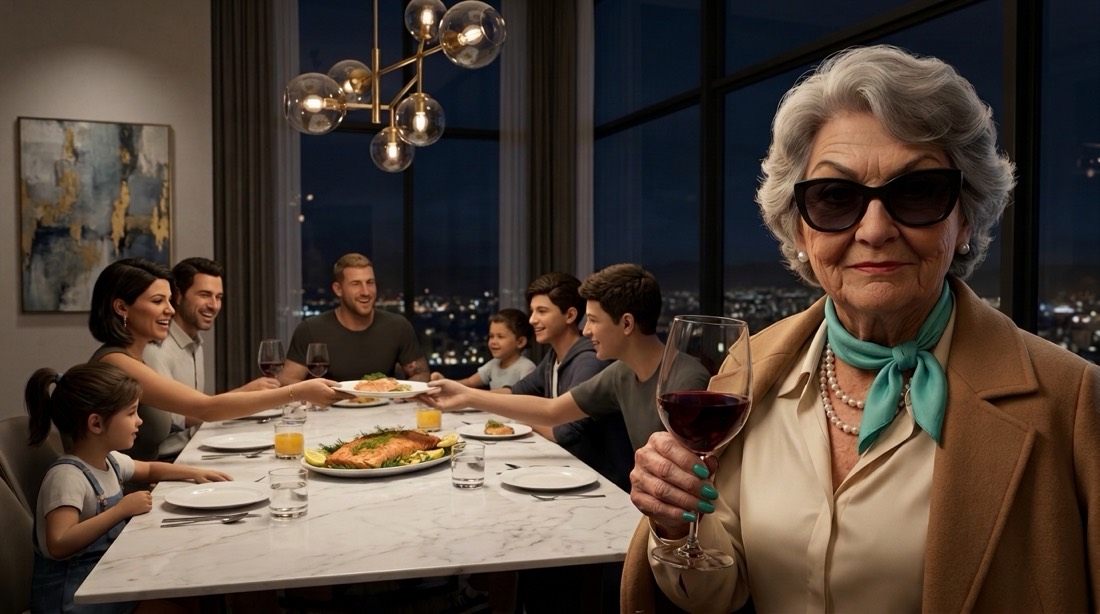
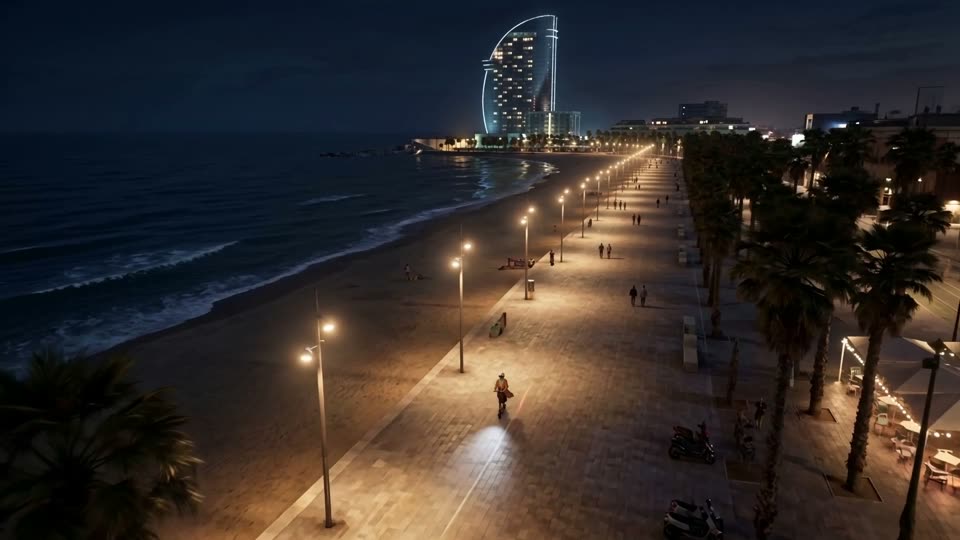
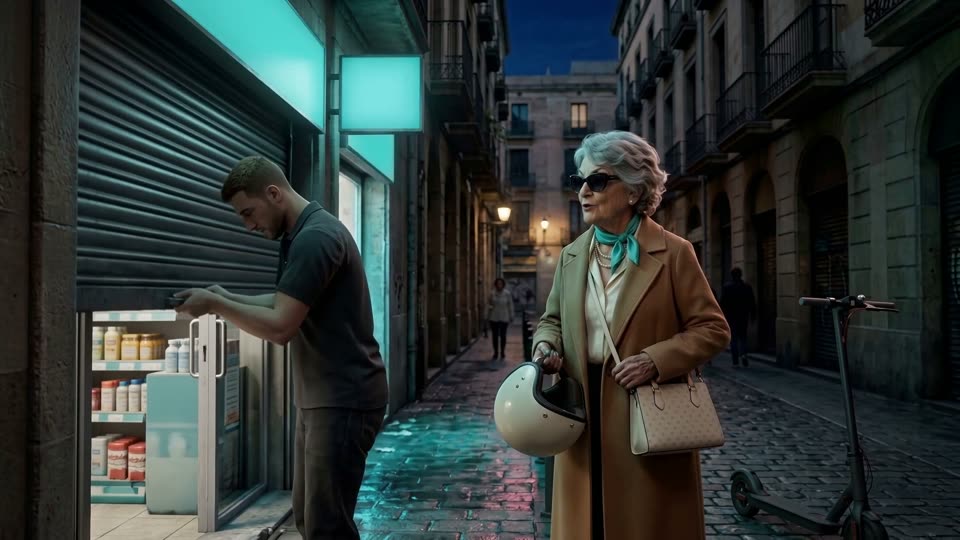
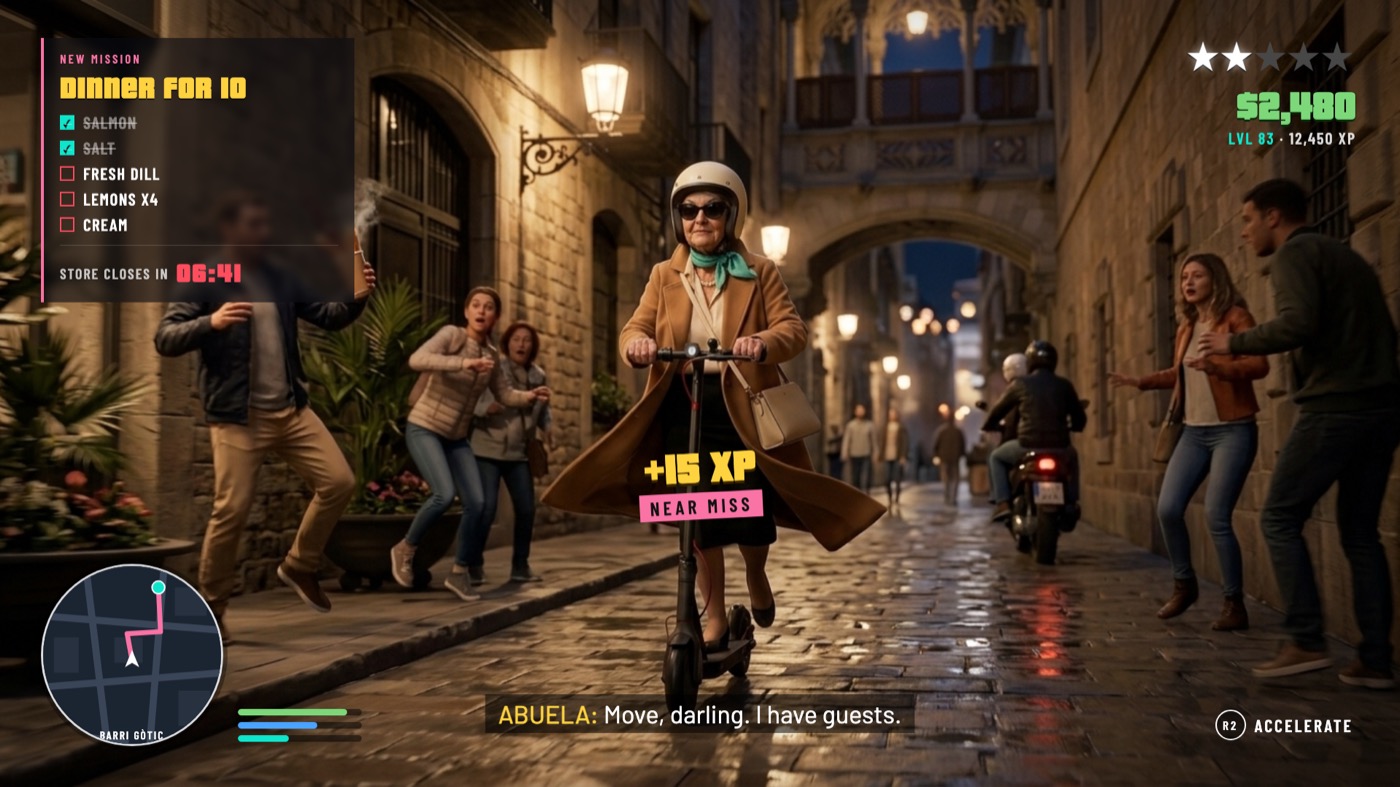
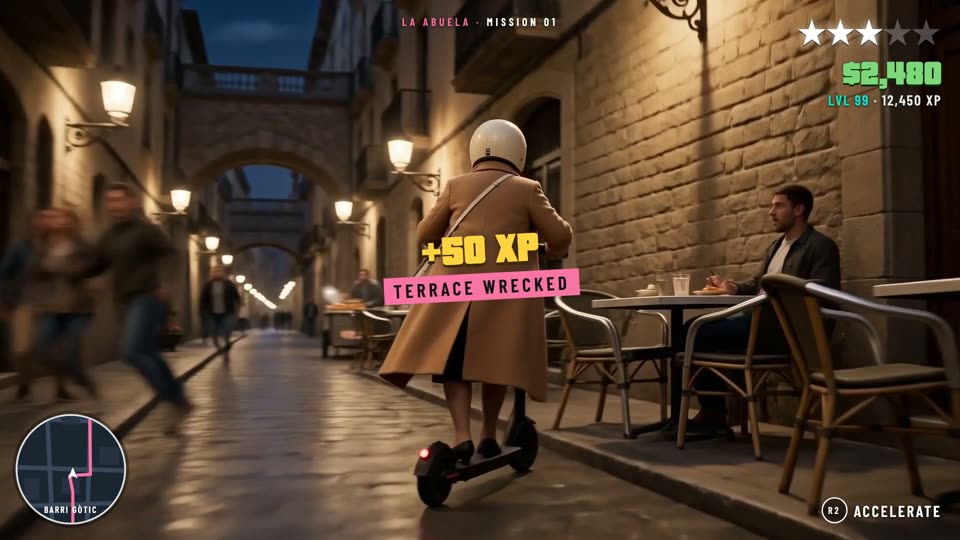
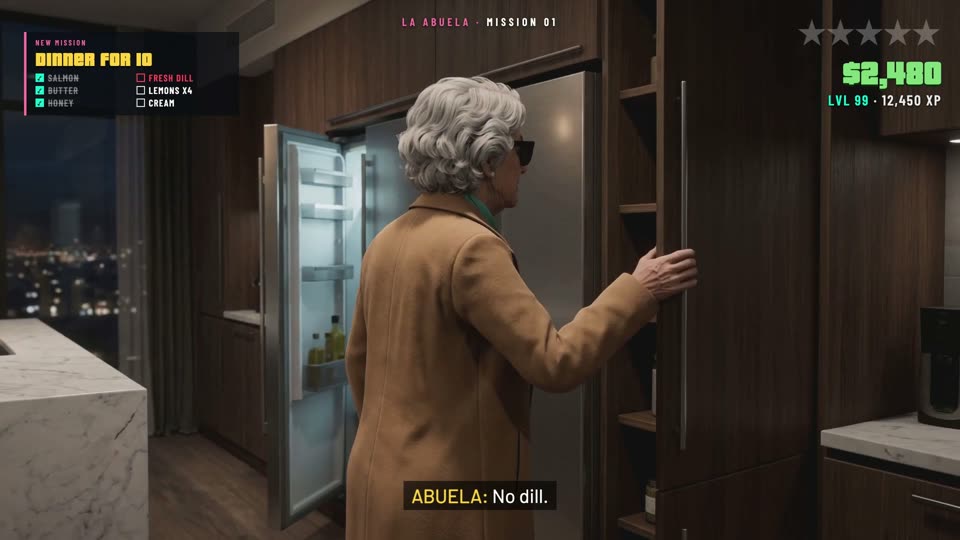
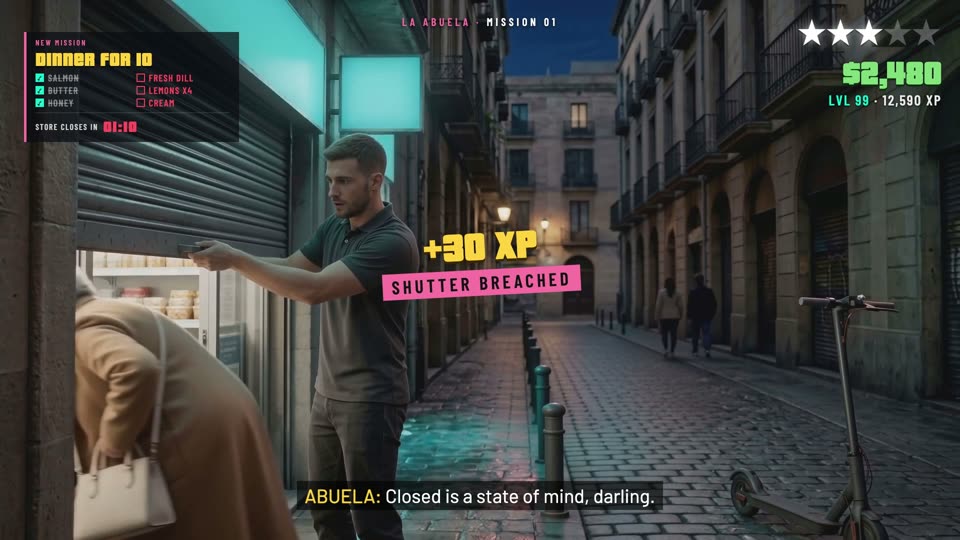
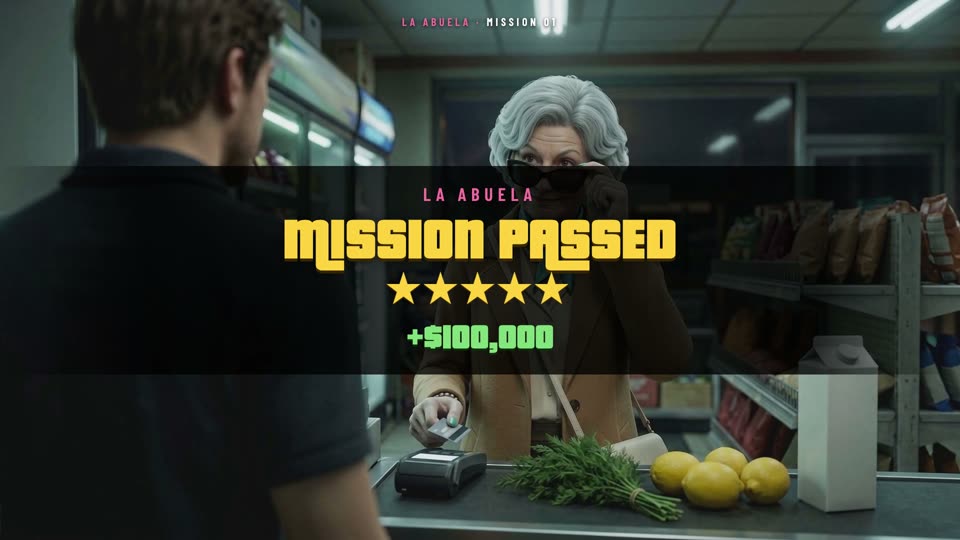
Grandma on a scooter through the Barri Gòtic with the game HUD The kitchen with the mission box and the objectives The shop: the shop assistant and the shutter Mission passed
35 clips generated, 10 chosen
79 s of video
1 day
~1,200 credits following this guide
1,764 is what it cost me, mistakes included
The rule that changes everything: you don't describe the style, you show it. Writing “GTA style” in the prompt gave me a real photo, and writing “video game render” gave me a cartoon. What worked was giving it real screenshots of the game and locking the look in an approved image before generating a single second of video.

The editing kit

The game HUD, the editor, the music and all the prompts. A single config file, tested from start to finish with this video.

Download the kit (.zip)
Go to the master prompt The expensive mistakes

00

What you need

10 minutes

Tools, accounts and what it costs.

⌄
ForToolNote
Orchestrating everythingClaude CodeWith the two connectors below, you ask for images and videos without leaving the terminal.
ImagesNano Banana (Gemini gemini-3.1-flash-image-preview)Character, style test and one frame per shot. This is where you test and fix; in video, every attempt costs credits.
VideoHiggsfield with Seedance 2.0It's where the credits go. Check its plans on its website.
Reviewing clipswhisper.cpp (brew install whisper-cpp)Transcribes each clip with the exact second of every word.
EditingThe kit + ffmpeg, Python 3 with numpy, Node 20+Install steps in the README.
Game titlesPricedown font (DaFont)Its license allows commercial video and forbids sharing the file. Download it yourself.
Connect both services to Claude Code
claude mcp add --transport http higgsfield https://mcp.higgsfield.ai/mcp
claude mcp add nanobanana -e GOOGLE_AI_API_KEY=your_key -e NANOBANANA_MODEL=gemini-3.1-flash-image-preview -- npx -y @ycse/nanobanana-mcp
Two details that cost an afternoon: without --transport http, Higgsfield gets saved as if it were a local program and fails to start. And after authorizing it in /mcp, its tools only show up when you open a new Claude Code session: close it and come back in.
Seedance 2.0 video6 s8 s
720p27 credits36 credits
1080p≈54 credits72 credits

Higgsfield prices measured on 27 Sep 2026 with its cost check before launching (the 6 s at 1080p, worked out from the 8 s one). Count 10 shots at 1080p with 2 variants each: about 1,200 credits. Tests, at 720p.
01

The three layers

Key

What the video AI generates, what goes in the edit and what gets recorded for real.

⌄

The video AI generates

People, places and action. Nothing else.

The edit adds

Everything that makes it look like a game: mission, objectives, timer, stars, minimap, +XP and big titles.

Recorded for real

Your product's screen, if it appears. A real phone recording, cropped.

Why: if you ask the video AI to paint the HUD, it writes warped letters and changes from one shot to the next. Always put “No on-screen text, no user interface, no logos” and add it yourself afterwards.
And one more thing: never put in a caption something your product doesn't really do in the recording. If the caption says “1.5 kg” and the app says “between 1.5 and 1.8 kg”, someone will pause it.
02

The mission script

Claude

10 shots, and in each one what changes physically.

⌄

The format that works: one goal, one countdown and one obstacle. In mine, dinner for 10, the shop closes in 13 minutes and three ingredients are missing.

Prompt · script
I want to make a short open-world video game trailer style video in which [CHARACTER]
completes a mission: [MISSION IN ONE SENTENCE, with a goal, a countdown and an obstacle].
Write me the script in 10 shots of 4 to 8 seconds. For each shot give me:
1. What happens, in one sentence, and what changes physically (who moves, which way, which object
   changes state: a door that closes, a shutter that comes down, a product that changes hands).
2. The line the character says, 10 words max, and whether someone else is talking.
3. The game caption that goes on top (objective, +XP, stars, countdown), which will be added in the edit.
Rules: the first shot has to be the most chaotic moment (it'll be used as the hook), each
secondary character has ONE line, and the main character finishes with a dry line.
No game names, studios or logos in anything that appears on screen.
What actually got laughs: the character's dry lines against a normal line from the other person. “Hey, I saw it first.” “And I saved it first.” If you have a product, let the punchline name it without advertising it.
03

The character

Nano Banana

From 2-4 photos to a character you recognize across 10 shots.

⌄
Prompt · character (with the photos as reference)
Create a full-body character portrait of the person in the reference photos, keeping her face,
age and features recognizable: [AGE], [HAIR]. Give her three fixed identity anchors that will
appear in every shot: [ACCESSORY 1, e.g. black oversized sunglasses], [ACCESSORY 2, e.g. a small
aqua turquoise silk scarf knotted at the neck], [ACCESSORY 3, e.g. aqua turquoise nail polish].
Outfit: [CLOTHES, e.g. long camel wool coat, cream silk blouse, pearl necklace].
Standing in [PLACE], confident and unbothered. Neutral light, full body visible, vertical frame.
No text, no logos.
The three anchors (sunglasses, scarf, nails) are what make you recognize her in every shot. Write them the same way, word for word, in every prompt that follows. In the only shot where the scarf got lost, she stopped looking like herself.
If it's a real person, ask them first. And when you publish, turn on the AI-generated content label.
04

The style: the step that decides everything

Key

A single image of the hardest shot, with real screenshots of the game.

⌄
First attempt: it looks like a real photo
✕ Asking for “video game style” in words: a real photo.
Second attempt: it looks like a cartoon
✕ Asking for a “3D game render”: a cartoon.
Third attempt: realistic video game
✓ With 3 real screenshots from the trailer as reference.
  1. Find 3 or 4 real screenshots of the game you want to imitate: frames from the trailer, with people up close and night light if your story happens at night.
  2. Choose your hardest shot (the one with the most people and the most detail). If that one works, the rest will.
  3. Generate with the references in this order: character, screenshot 1, screenshot 2, screenshot 3.
Prompt · style test
Render this scene EXACTLY in the visual style of reference images 2, 3 and 4: an in-engine
cutscene from a next-generation AAA open-world game (Grand Theft Auto VI trailer look). Characters are high-end 3D game models:
realistic proportions and faces, but with that subtle not-quite-real game look: matte smooth skin
with soft baked detail, slightly stiff sculpted facial features, soft temporal anti-aliasing
softness, physically based materials. Lighting is soft global illumination with deep natural
shadows, a natural slightly desaturated cinematic grade, NOT oversaturated, NOT glossy,
NOT cartoon, NOT illustration, and NOT a photograph. Copy the color grade, the softness and the
skin rendering of reference 2.

The main character is the game-model version of the person in reference image 1, [AGE]:
[PHYSICAL DESCRIPTION + THE THREE ANCHORS + CLOTHES]. [ATTITUDE, e.g. Smug and unbothered].

Framing: [SHOT, e.g. medium close-up, she fills the right half of the frame from the chest up].
[ACTION FROZEN IN AN INSTANT].

[BACKGROUND AND SECONDARY CHARACTERS, with specific ages and what they're holding].

Setting: [PLACE with 4-5 specific objects]. [LIGHT]. Widescreen cinematic frame.
No text, no subtitles, no user interface, no button prompts, no logos, no watermark.
If it comes out looking like a photo or a cartoon, don't touch the text: change the screenshots. I rewrote the prompt three times and what fixed it was showing it images.
05

One frame per shot

Nano Banana

Every image gets approved before you spend a single video credit.

⌄

References in every shot, in this order: character, the approved style test (it carries over the look and the already converted character) and two screenshots of the game. If the shot happens in the same place as another one already approved, use that frame as the second reference: it keeps the place and the light.

Prompt · frame for a shot
Render EXACTLY in the look of reference image 2 (same character model, same rendering, same color
grade) and references 3 and 4: an in-engine cutscene from a next-generation AAA open-world game (GTA VI
trailer look). High-end 3D game character models with realistic proportions but a subtle not-quite-real game look:
matte smooth skin, slightly stiff sculpted features, soft anti-aliasing softness, soft global
illumination, deep natural shadows, natural slightly desaturated cinematic grade.
NOT a photograph, NOT cartoon.

Character: the same [PERSON] as in references 1 and 2, [DESCRIPTION + THREE ANCHORS + CLOTHES].

Scene: [PLACE, time of day]. [WHAT SHE DOES, in the FIRST instant of the shot]. [STATE OF THE
OBJECTS THAT ARE GOING TO CHANGE, e.g. the metal shutter is already half down, at waist height].
[SHOT AND CAMERA]. Widescreen cinematic frame. No text, no readable signs, no labels on packaging,
no user interface, no logos, no watermark.

Before approving each frame, check these 8 things

CheckWhat happened to meFix
Lettering and logosA hotel came out with its brand, and bags of crisps from real brandsA
Time of dayA sunset sky in a midnight sceneB
The state of what's going to changeThe shutter had to be coming down and in the frame it was upDescribe it in the prompt
“The last product”They were fighting over the last cream with the fridge fullC (regenerating)
Which way it's goingA small figure facing the camera: the video moved her backwardsCamera behind her
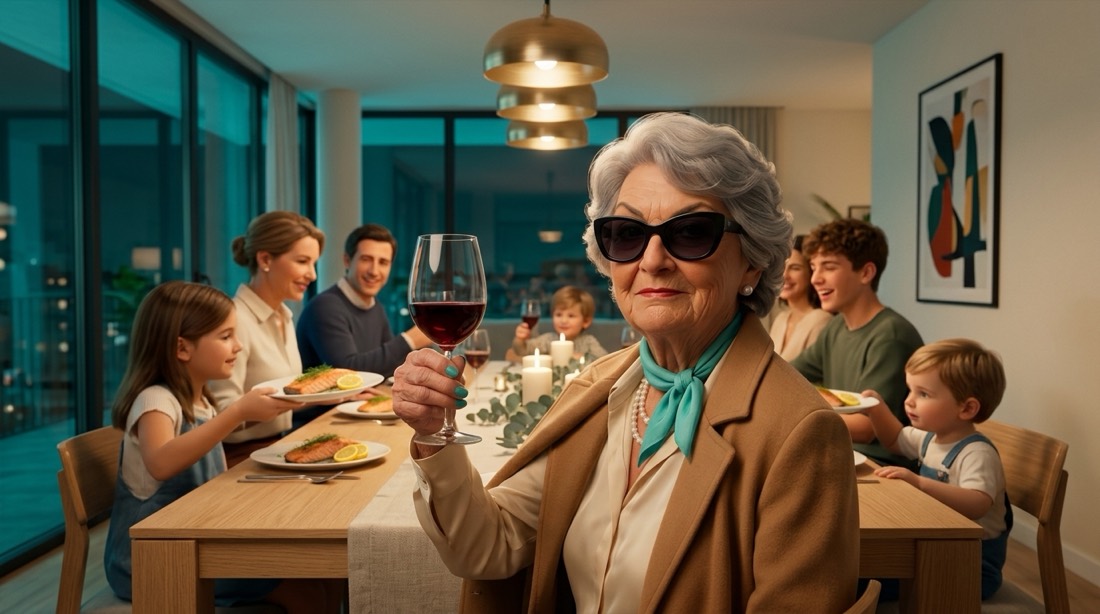
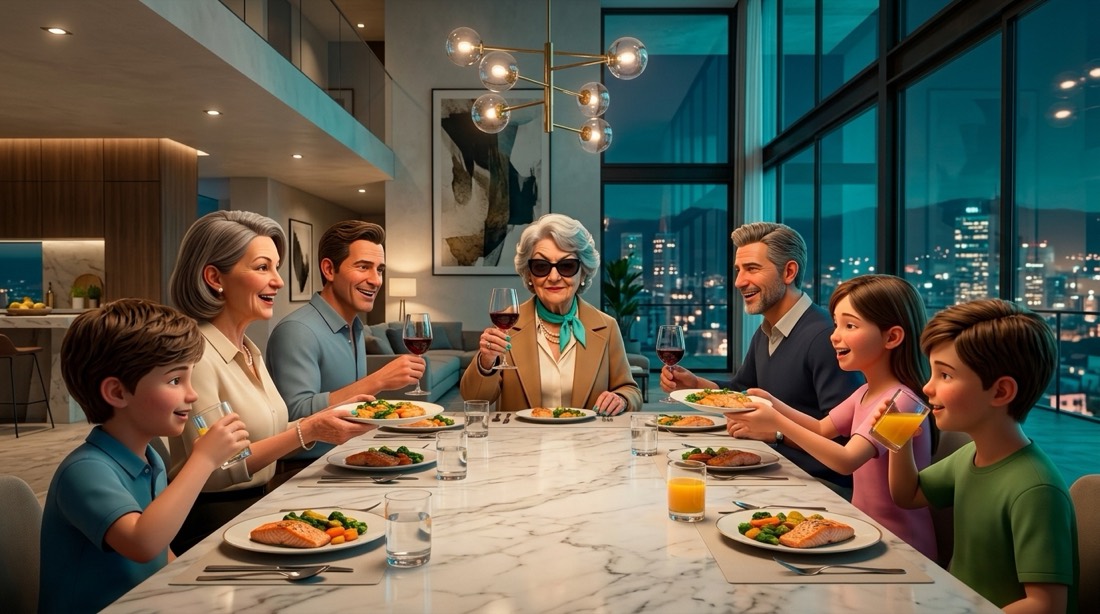
What each person is holdingWine glasses next to the childrenD
The secondary characters' ages“Family of all ages” gave a table of elderly menSpecific ages and “she is the only gray-haired person”
The three anchorsIn one shot the scarf disappearedName it with “clearly visible”
Fixes · editing the approved image
A · REMOVE TEXT AND LOGOS
Remove ALL text, letters, numbers and brand logos from every sign, package and building in the
image: signs become plain glowing panels, packages become plain unlabeled packaging in solid
colors. Keep everything else identical: characters, poses, lighting, composition, rendering style.

B · SWITCH TO NIGHT
Change the sky to a dark midnight blue night sky so it is clearly late at night. Keep everything
else identical: characters, poses, lighting on the characters, composition, rendering style.

C · THE LAST PRODUCT (editing isn't enough here: regenerate the frame with this sentence in the scene)
The fridge shelves behind them are completely EMPTY: bare lit white shelves, not a single
[PRODUCT] left. [SECONDARY CHARACTER] holds the LAST [PRODUCT] in his hand; [CHARACTER] steps in right
next to him, her hand already reaching for it.

D · CHANGE ONE SPECIFIC OBJECT
Change ONLY [OBJECT AND WHERE IT IS]: replace it with [NEW OBJECT]. Do not change anything else:
same people, same faces, same lighting, same color grade, same composition, same rendering style.
06

The video from the frame

Higgsfield · Seedance 2.0

The image as the start frame, 2 variants, and the physics written in capitals.

⌄

How the image goes in

As the start frame (start_image), not as a reference. As a reference, it changes the framing and loses the look. No photos of the character here: the frame already carries everything.

Length and variants

6 s for one line, 8 s for two or for long action. Audio on. 2 variants of each shot: it works out cheaper than repeating.

Prompt · video for a shot
Continue from the start image keeping its exact look: an in-engine cutscene from a
next-generation open-world crime game (GTA VI trailer style), high-end 3D game character models, matte game skin,
soft global illumination, natural cinematic grade. Never live-action.

[ACTION, IN ORDER, ONE SENTENCE PER STEP:
 1) what happens first and who talks: The clerk keeps pulling the shutter DOWN and says: 'Sorry, we're closed.'
 2) the answer: She says in English with a strong Spanish accent, low and dry: '[LINE]'
 3) what changes afterwards: He sighs and lifts the shutter back UP a little. She ducks under it into the shop.]
[CAMERA: locked medium two-shot / third-person chase camera low behind her, motion blur].
[IF THERE'S MOVEMENT: She rides FORWARD, AWAY from the camera. Everything rushes past toward the
camera. Constant forward motion, never backwards.]
[IF THERE'S CHAOS: Nobody gets hurt; it is cheeky mischief, not violence.]

Sound: [3 SPECIFIC SOUNDS]. No music. No on-screen text, no readable signs, no user interface, no logos.
Failure: a small figure on a scooter that the video moved backwards
✕ A small figure seen from the front: the video made her go backwards. Fix: a frame with the camera behind her and “FORWARD, AWAY”.
Failure: the shutter goes up instead of down
✕ The shutter went up when it had to come down. Fix: a frame with the shutter at half height and the steps DOWN and then UP.
  • Lines short and in single quotes, saying who says them and with what accent. “With a strong Spanish accent, low and dry” worked in every shot.
  • If another character talks, they go first and the main character answers. Taking turns, the mouth syncs better.
  • Every physical change, in capitals: DOWN, UP, FORWARD, AWAY, EMPTY.
  • In shots without dialogue it adds music even if you write “No music”. It comes out in the edit.
  • If Higgsfield offers you a preset instead of generating, turn it down and generate literally.
07

Review every clip

2 minutes per shot

A sheet of frames and a transcript before choosing.

⌄

Watching it once at normal speed isn't enough: physics failures show up on a sheet of frames, and dialogue failures in the transcript.

Commands · an 8-frame sheet and a timed transcript
ffmpeg -i shot-08a.mp4 -vf "fps=1,scale=320:-1,tile=8x1" -frames:v 1 sheet-08a.png
ffmpeg -i shot-08a.mp4 -ar 16000 -ac 1 shot-08a.wav
whisper-cli -m ggml-small.en.bin -f shot-08a.wav -ml 1 -oj -of shot-08a
  • Everything moves the way it's supposed to.
  • It says the whole line, with no extra words. A “though” nobody wrote slipped in on me.
  • The character's three anchors are still there.
  • If two variants fail for the same reason, don't launch a third: change just one thing in the prompt.

Ask Claude Code: “make me the sheet and the transcript for each variant and tell me which one you'd choose and why”.

08

The game HUD

What turns it into GTA

It's written in a JSON file and the kit paints it frame by frame.

⌄
HUD mock-up: mission box, stars, money, minimap, +XP caption and button
The mock-up I approved before editing: mission and objectives top left, stars and money top right, a minimap with a pink route, “+XP” in the middle of the action and the action button at the bottom.
ElementWhen to use it
Mission box with objectivesThe whole mission. Objectives turn red when they're missing and get crossed out when they're achieved, on the exact second.
CountdownFrom when the time limit is said. Under one minute it blinks.
StarsThey go up when the character does something reckless.
“+XP” with a labelEvery funny moment: NEAR MISS, TERRACE WRECKED, OBJECTIVE SECURED.
NPC tagOver the secondary character when they appear: “NPC: HUNGOVER GUY · LVL 19”.
StingersNEW MISSION at the start, X MINUTES EARLIER after the hook, MISSION PASSED at the end.
  1. Copy montaje.ejemplo.json to montaje.json. It's the whole grandma video: change the text and the timings.
  2. Timings are relative to each shot: ["G", 1.5] is second 1.5 of shot G. If you make a shot longer, everything rearranges itself.
  3. python3 montaje.py revisar montaje.json gives you, in seconds, 6 real frames with the HUD on top. Check that no caption covers a face.
Size: on a phone, a horizontal video shows at 56%. The kit already sets the mission box and the subtitles at a size that's readable in those conditions. If you make them smaller, check it on a phone.
09

Music and sound

Kit

Make sure the lines can be heard: it's the first thing that fails.

⌄

Higgsfield doesn't generate standalone music. The kit composes an original beat (dark G-funk with trap) and the effects: mission hit, XP ding, stars and final fanfare. It's yours and nobody else holds rights to it. If you'd rather use a song, put its path in audio.musica, and make sure it's licensed.

LevelValueWhy
Voice+5 dB (1.8)In my first version the music drowned out the lines.
Music under dialogue0.3 and it ducks on its own when someone talksAny louder and the voice disappears on a phone speaker.
Music without dialogue (screens)1.1There's nothing there to cover up.
EffectsNot normalized, between 0.35 and 0.8Normalized to the max, the “missing” buzz covered exactly the line that explained it.
TotalNormalized to -14 LUFS (the final video measures -15.6)The kit applies it on its own at the end.
10

The edit and the hook

Kit

The craziest moment first, frozen, and then the story.

⌄
  1. 0-4 s: the most chaotic shot with the HUD maxed out (stars, “+50 XP”). It freezes and a stinger comes in: “12 MINUTES EARLIER”.
  2. Your product: the phone recording, sped up to three times while you type and at normal speed when the answer appears, with a caption on top.
  3. NEW MISSION full screen over the first frame of the mission, frozen for 1.6 s.
  4. The story in order, with the objectives changing on the exact second of each line.
  5. MISSION PASSED over the last frame of the final scene, frozen, with the drums silent so the fanfare plays.
  6. The punchline and your brand.
Your product recording: choose the section where you can see it doing exactly what the caption on top says. If something readable on the screen contradicts the caption, it's the caption that's wrong: change it.
No drift: the kit cuts each shot in whole frames. If you cut in seconds, each shot loses a few hundredths and by the end of the video the voice lags behind the mouth. I'd built up 0.33 s before I noticed.
Prompt · editing with Claude Code
I have my chosen clips in clips/ and a screen recording of my app in
clips/pantalla-movil.mp4. Use the kit in this folder (README.md and montaje.ejemplo.json).
1. Transcribe each clip with word-level timestamps and tell me which line it says and at what second.
2. Write montaje.json following montaje.ejemplo.json: the hook first (the most chaotic shot,
   3-4 s, frozen with an "X MINUTES EARLIER" stinger), then the story in order.
   Subtitles with the real timings from the transcript, never by eye.
3. Run `python3 montaje.py revisar montaje.json` and show me the 6 review images.
4. When I give you the OK, `python3 montaje.py todo montaje.json`.
Before finishing, extract 12 frames from the final video and check that no caption covers a face
and that no HUD line says something the video doesn't show.
11

Publishing

TikTok · Reels

Label, duplicates, format and hashtags.

⌄
  • Turn on the AI-generated content label on TikTok and on Instagram. A hashtag like #aivideo doesn't replace it.
  • Don't upload the same file to two accounts. TikTok says it doesn't recommend duplicate content. On your other account, upload the making-of, not the same video.
  • Horizontal or vertical: there's no official penalty for uploading 16:9. On TikTok it's defensible if it's longer than 1 minute: it once said it was pushing those horizontal videos (Tubefilter, 2024). For Reels I haven't found any source backing 16:9, so for Instagram also try the kit's vertical format ("formato": "vertical"). Either way, what matters is that the text is readable on a phone.
  • Hashtags: TikTok uses them to work out what the video is about. Put the topic that appears (the game, “grandma”) before your brand.
  • The game's names and logos: never in anything that appears on screen. The prompts do name it as a style reference, like the ones I used.
TikTok · How it recommends videos and why it doesn't recommend duplicates ↗ Tubefilter · Horizontal videos over 1 minute ↗
12

The mistakes that cost me credits and time

Read it before you start

Each one, with the step in this guide that avoids it.

⌄
MistakeWhat it costAvoided by
Generating video before locking the style: 10 shots that looked like a real photoAbout 290 credits thrown awayStep 04
Describing the style in words instead of screenshots3 style testsStep 04
Passing the image as a reference and not as the start frameThe framing changedStep 06
A small figure facing the camera in the frameScooter going backwards, shot redoneSteps 05 and 06
Not locking the shutter's starting stateIt went up instead of down, shot redoneSteps 05 and 06
A full fridge in a fight over “the last one”It made no sense, shot redoneStep 05, fix C
Lines with no punch in the scriptThree shots redone to change the lineStep 02
Loud music and normalized effectsThe lines couldn't be understoodStep 09
Cutting shots in seconds and not in frames0.33 s of accumulated driftStep 10 (the kit already does it)
A weak hook: 2 s of someone looking at their phoneRedoing the editStep 10
13

The master prompt

All in one

For Claude Code with the two connectors and the kit in the folder.

⌄
Master prompt
We're going to make a short open-world video game trailer style video following the guide
marbuilds.dev/resources/en/video-gta-ia and the prompts in this folder's prompts.md.
Character: photos in photos/. Style: screenshots of the game in style/. Mission: [ONE SENTENCE].
Higgsfield budget: [CREDITS, e.g. 1,200].
Work in phases and STOP at the end of each one until I approve:
1. Script in 10 shots (prompt 1).
2. Character (prompt 2). Show it to me.
3. Style test of the hardest shot (prompt 3). Show it to me. Don't carry on without my OK.
4. One frame per shot (prompt 4), checking the 8 things in the table. Show them to me on a contact
   sheet and tell me what you've fixed.
5. Video for each shot from its frame (prompt 5), 2 variants, [720p to test / 1080p final].
   Before launching, tell me how many credits it costs. Keep count of the credits spent and tell me
   after each shot. If we go over budget, warn me before launching the next one: I
   decide whether we carry on. Review each clip with a sheet of frames and a transcript, and tell me
   which one you choose and why.
6. Editing with the kit (prompt 6).
Never make up in a caption what my product does: only what can be seen in the real recording.
Why in phases: every stop is a point where a mistake comes cheap. A bad frame gets fixed in Nano Banana; a bad video shot costs 54-72 credits.